







Your Unraid server, sealed in a vault. Drop a backup. Detonate a restore.
Containers, VMs, appdata, the flash drive and any folder you point it at. BombVault also backs up
itself, because a backup tool that cannot save its own skin is a hobby project. One click puts
it all back: containers reappear in the Docker tab, VMs in the VM tab, already configured.
No reinstall, no rebuild, no evening lost.
Built on restic, so every snapshot is deduplicated, incremental and
encrypted before it leaves the box. Off-site copies can be append-only, which is a polite way of
saying ransomware is welcome to knock.
Important
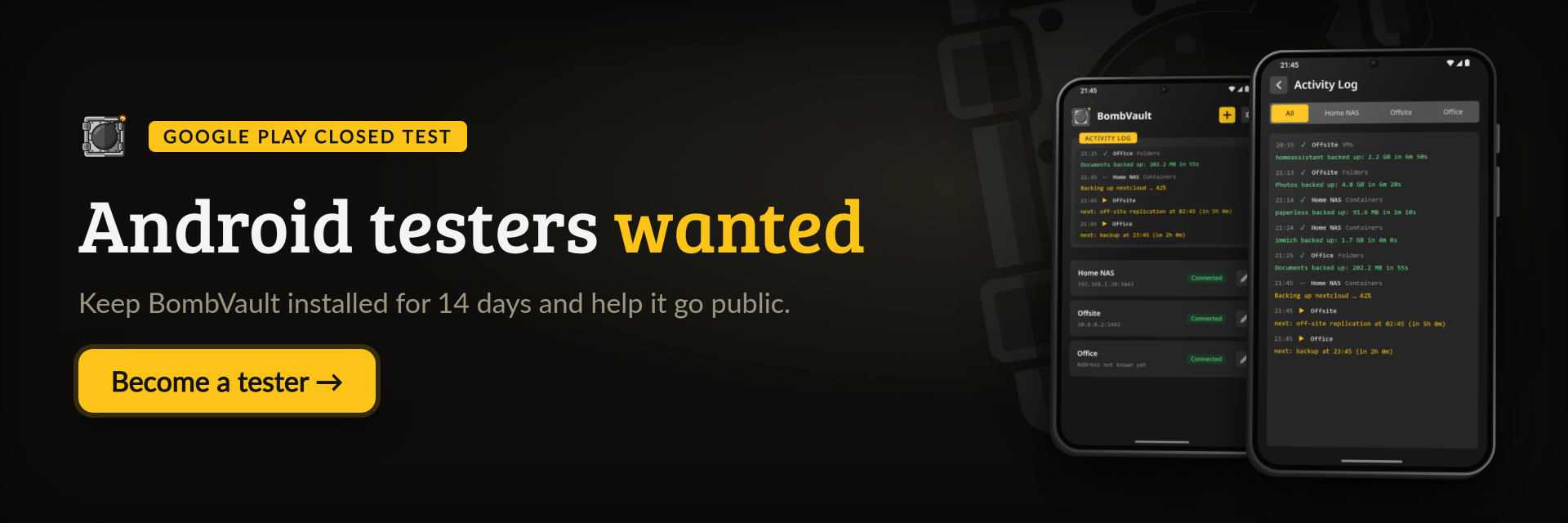
Android testers wanted. Google Play only lists an app from a new developer account after at least 12 testers have kept it installed for 14 days. If you have an Android phone:
- Join the tester group.
- Open the test page and tap Become a tester.
- Install BombVault from Google Play and keep it for 14 days. Using it for real helps most, and anything that goes wrong is welcome as an issue.
))
))
))
))
))
))
Always downloads the latest build
))
))
A one-knight job: I build it, keep it running, work through the issues and add what people ask for, until nothing is missing. It is free, with no accounts, no telemetry, no ads and no paid tier. No asterisk anywhere. Nothing readable ever leaves your own walls. Forged on evenings and weekends, with heart and stubbornness.
If it has earned a place on your server or computer, toss a coin to your knight: it helps cover the costs and keeps the project alive. It also makes this knight's heart beat a little faster. Three ways below, whichever suits you.
))
))
))
- Screenshots
- What it does
- How it compares
- Getting started
- Documentation
- How AI is used here
- Support this project
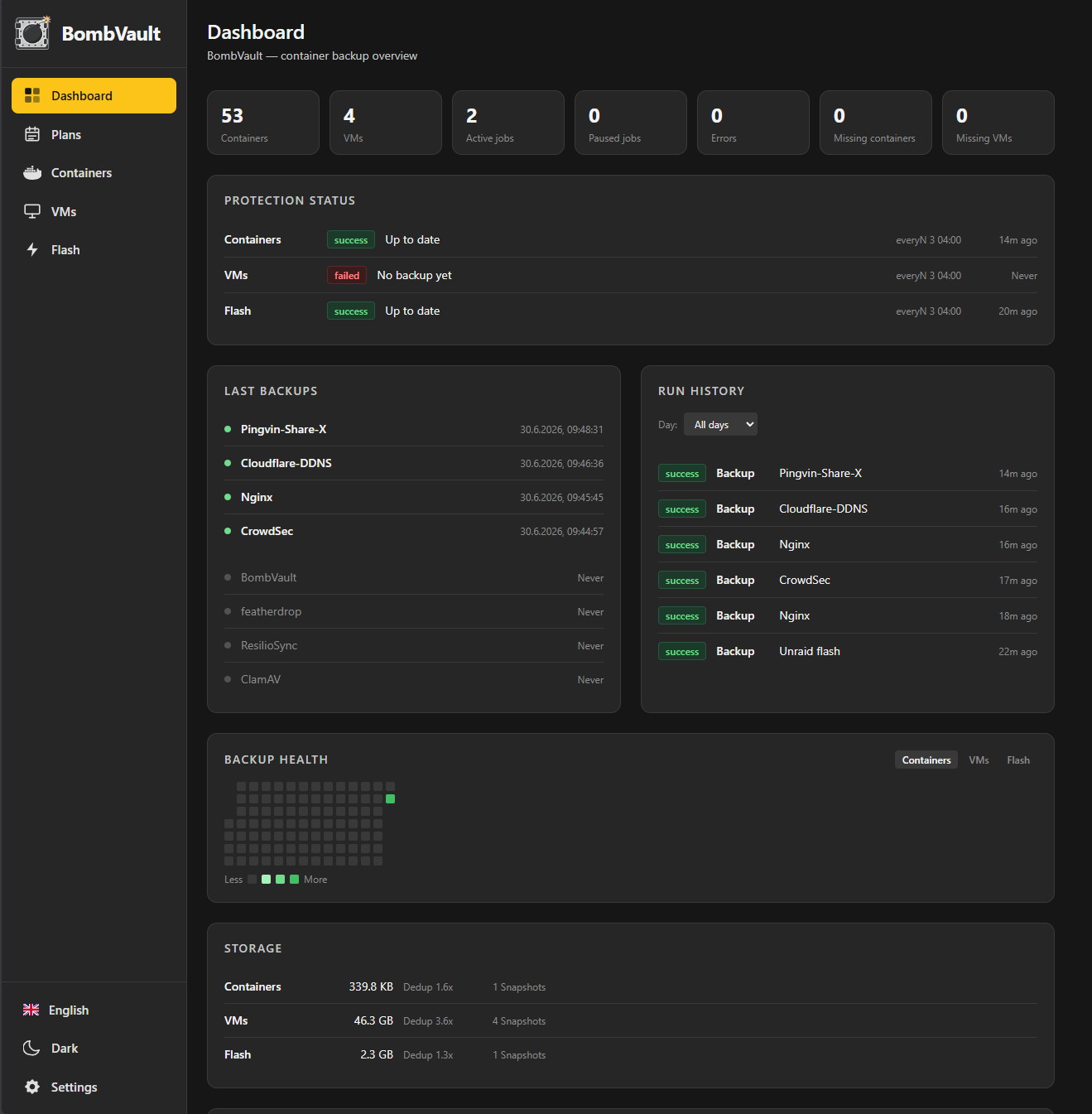
Dashboard: the recovery point, the next backup and the last result sit above a live activity log. The log also shows the off-site copy and the tamper test that proves the far side refuses a delete.
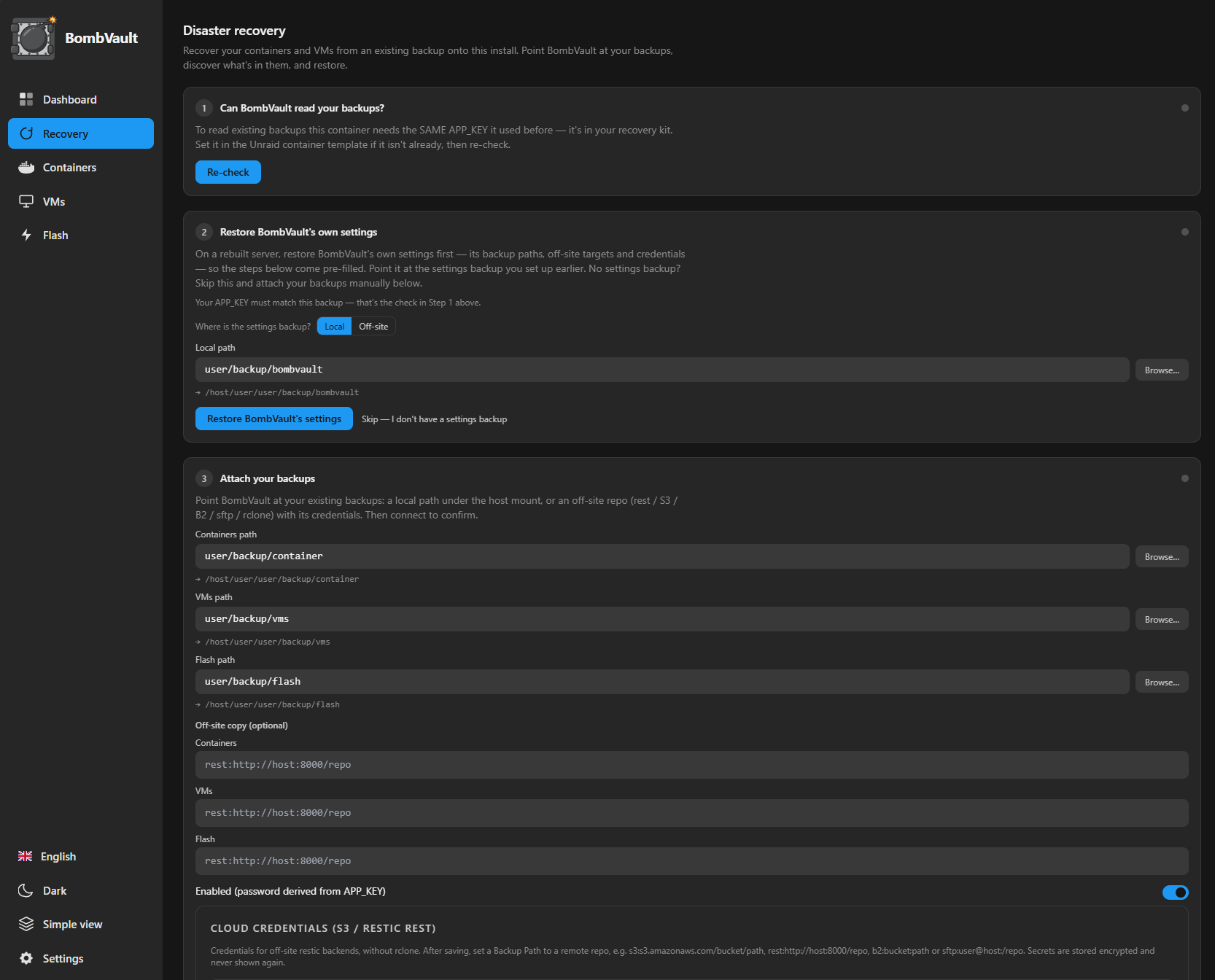
Recovery: a guided flow for a fresh install. Check that BombVault can read your backups, restore its own settings, then attach your container, VM and flash backups and restore them.
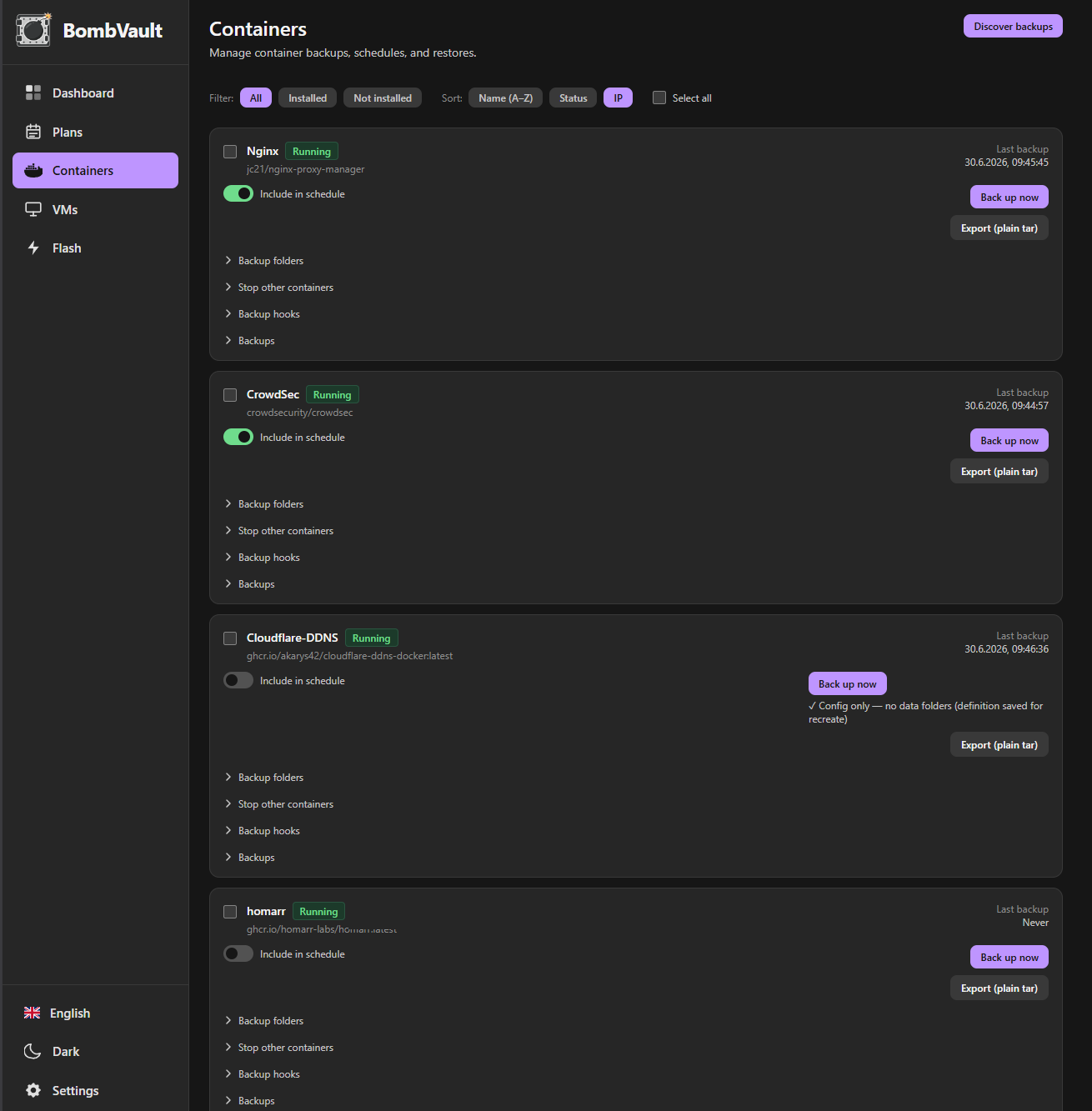
Containers: each container has its own schedule switch, a choice of local, off-site or both, a one-click backup and a restore check. Filters and bulk include or exclude sit above the list.
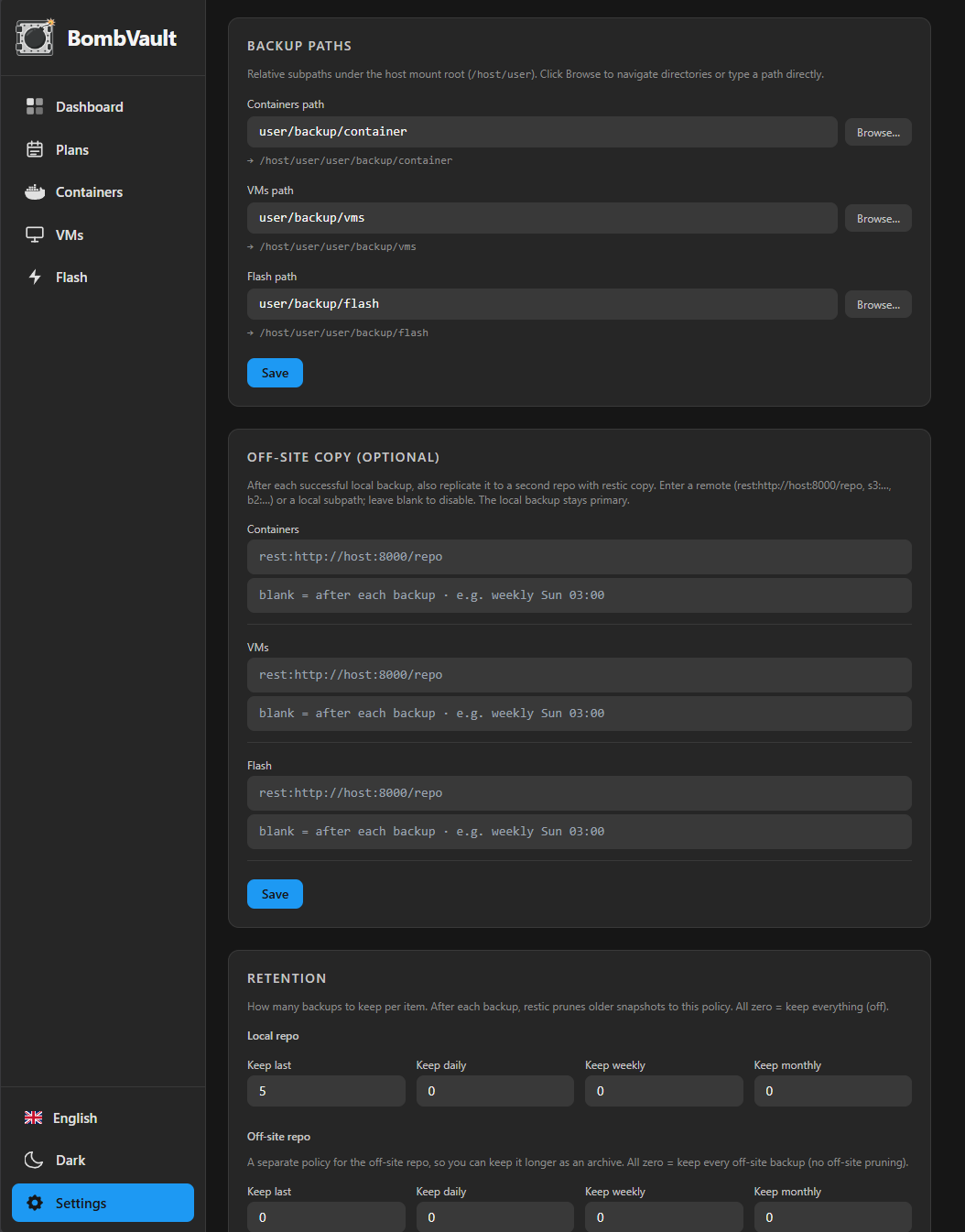
Settings, organised into pages (General · Look · Storage · Retention · Schedules · Containers · Off-site · Cloud access · Notifications · Integrity · Security · Pairing · Integrations · System). General turns each backup domain on or off and holds the language and quiet toasts; Look holds the theme, colours, corners and animation. Nothing here has a Save button; every change is written as you make it.
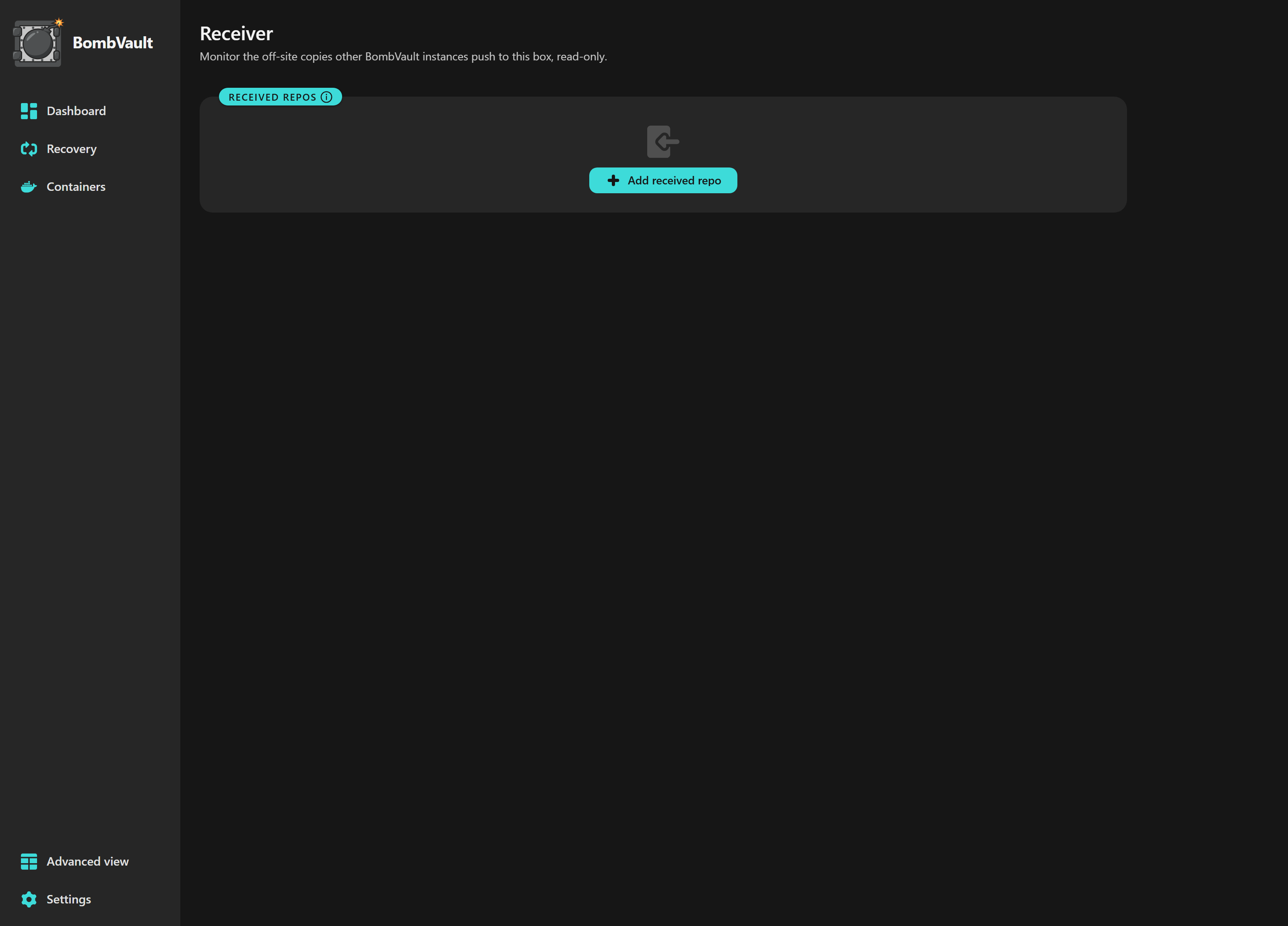
Receiver: the other end of an off-site copy, read-only. It lists what arrived from each source and when, and runs its own integrity check on this hardware instead of trusting the sender.
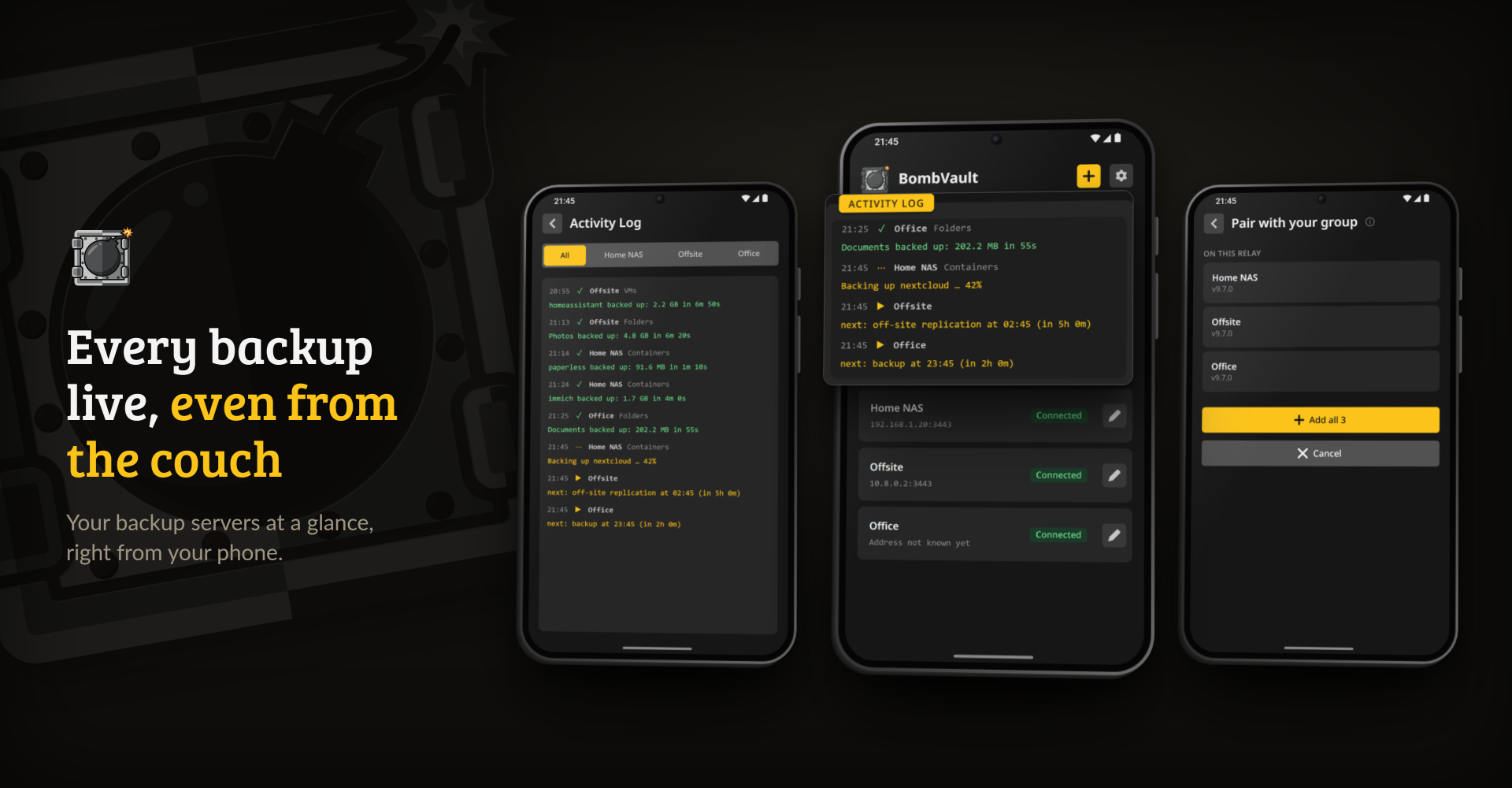
The Android app: every server of your group on one list, their activity in one log, paired by twelve words.
- Backs up the whole server. Containers with their appdata and definition, VMs with their disks, XML and NVRAM, the Unraid flash, any folder, ZFS datasets with their children, and BombVault's own settings. PostgreSQL, MySQL and MariaDB containers are dumped first. Features
- Restores to a running state. A restored container comes back in the Docker tab with its image, settings and data, a VM in the VM tab with its disks and NVRAM. Every restore shows what it will change before it starts. Features
- Copies off site, item by item. Encrypted, to one or more targets that can be append-only. A destination is set up once, with a wizard that knows S3 storage services, your own servers and every cloud drive rclone supports. Each container, VM and folder set then lights the places that get its backups, and its card says how many sites hold it and whether 3-2-1 is met. Off-site & recovery
- Proves that restores work. A restore check after each item's first backup, scheduled drills, and a start test that runs a restored container in an isolated network. Features
- Notices when a backup looks wrong. Much more new data than usual, a source that shrank, a run that took far longer. When a source shrinks sharply, its old backups are kept until you acknowledge the finding. Features
- Fits into the rest of your setup. Several servers pair by twelve words, an Android app shows them all, and AI assistants, scripts and Home Assistant read the status over MCP, an HTTP API and MQTT. Android app, MCP server, API and integrations
It runs as one Docker container on Unraid, TrueNAS Scale or a plain Docker host and stores everything with restic. The idea of one-click backup with automatic reinstall comes from VolumeVault by @Darkdragon14; BombVault is a separate implementation (see Credits).
On Unraid, backups usually run through Appdata.Backup, a CA plugin that archives appdata folders, or through a general engine such as Duplicati, Kopia or BorgBackup. They save files well, but a restore gives you files back, not a running container or VM.
The closest counterpart is Vault by @ruaan-deysel, a native Unraid plugin built on the same idea: it recreates containers and re-defines VMs on restore, and it has a good deal of what BombVault has, down to changed-block VM backups and Home Assistant. BombVault is ahead on getting data back: restic reads its backups without BombVault, the off-site copy can be append-only, and restores are tested for real, up to starting a restored container in isolation. Worth a look.
| BombVault | Vault (plugin) | Appdata.Backup (CA) | Duplicati | Kopia | BorgBackup | |
|---|---|---|---|---|---|---|
| Restore brings a container back whole (image, env, ports, labels) | ✅ | ✅ | ❌ | ❌ | ❌ | |
| Restore re-defines a VM, not only its disks | ✅ | ✅ | ❌ | ❌ | ❌ | |
| VM backups read only changed blocks | ✅ qcow2 | ✅ qcow2 | ❌ | ❌ | ❌ | ❌ |
| Database dumps for recognised database containers | ✅ | ✅ | ❌ | ❌ | ❌ | |
| Installed Unraid plugins | ✅ one by one from the flash backup | ✅ | ❌ | ❌ | ❌ | |
| ZFS datasets as a source | ✅ | ✅ | ❌ | ❌ | ||
| Deduplication | ✅ | ✅ opt-in | ❌ | ✅ fixed blocks | ✅ | ✅ |
| Client-side encryption | ✅ on by default | ✅ opt-in | ❌ | ✅ | ✅ | ✅ |
| Backups readable with a standard open-source CLI | ✅ restic | ✅ tar | ✅ kopia | ✅ borg | ||
| Append-only or immutable off-site copy | ✅ | ❌ | ❌ | ✅ | ✅ | ✅ |
| Scheduled backup waits until the app is idle | ✅ | ✅ | ❌ | ❌ | ❌ | ❌ |
| Scheduled test restores, not only a checksum read | ✅ | ❌ | ❌ | ❌ | ❌ | |
| Start test: a restored container is started in isolation and checked | ✅ | ❌ | ❌ | ❌ | ❌ | ❌ |
| Off-site upload slows down while a media server streams | ✅ | ✅ any outside traffic | ❌ | ❌ | ❌ | ❌ |
| Several off-site targets, each with its own credentials | ✅ | ❌ | ✅ | |||
| Each item chooses which off-site targets get a copy | ✅ | ❌ | ❌ | |||
| Each item chooses local only, local and off-site, or off-site only | ✅ | ❌ | ❌ | |||
| Shows how many sites hold each item and whether 3-2-1 is met | ✅ | ❌ | ❌ | ❌ | ❌ | |
| Pre/post-backup hooks | ✅ | ✅ | ✅ | ✅ | ✅ | |
| Live progress and cancel, backup and restore | ✅ | ✅ | ||||
| Notifications | ✅ SMTP, Matrix, Apprise, more | ✅ Discord, Unraid | ✅ Unraid's agents | ✅ email, Telegram, HTTP | ✅ email, Pushover, webhook | |
| Anomaly detection (size, duration, shrink) | ✅ | ✅ | ❌ | ❌ | ❌ | |
| AI assistant access (MCP) | ✅ | ✅ | ❌ | ❌ | ❌ | |
| Documented HTTP API for scripts, with its own tokens | ✅ | ✅ | ❌ | ❌ | ||
| Home Assistant integration | ✅ over MQTT | ✅ | ❌ | |||
| Announces itself on the network (mDNS) | ✅ | ✅ | ❌ | ❌ | ❌ | ❌ |
| Backs up desktops and laptops | ❌ | ❌ | ❌ | ✅ | ✅ | |
| Runs outside Unraid | ✅ | ❌ | ✅ | ✅ | ✅ | |
| In Unraid Community Applications | ✅ | ✅ | ✅ | ✅ community template | ✅ community template | ✅ community template |
| Android app | ✅ APK, Google Play in closed test | ❌ | ❌ | ❌ | ❌ | ❌ |
| Track record | ✅ since 2008 | ✅ since 2019 | ✅ since 2015 |
✅ yes ·
On Unraid, install BombVault from Community Applications. The one setting it needs is APP_KEY, a secret you make with openssl rand -hex 32. Keep a copy somewhere other than the server, because without it nobody can read the encrypted backups. Then open https://<server-ip>:3443, switch on the kinds of backup you want under Settings, and press Back up now on a container.
On any other Docker host or on TrueNAS Scale, take deploy/docker-compose.generic.yml, set APP_KEY and the Host Data volume, and run docker compose up -d. VM and ZFS backups reach the host over SSH, so BombVault's public key has to be added there once. Getting started and Configuration cover the template, the mounts, every variable and the SSH setup.
Always downloads the latest build
Every release has the app as bombvault-android.apk. On any server, open Settings, Pairing, Show phrase and scan the QR code with the app: it adds every server of your group, shows what runs on all of them, also away from home over the relay, and opens each one already signed in. Google Play has it in a closed test for now, and F-Droid follows. The Android app page has the details, and the privacy policy lists what the app stores and sends.
The documentation, in 26 languages, has what this page leaves out:
- Getting started: requirements, the Unraid template, other Docker hosts and TrueNAS Scale, the first backup and building from source
- Android app: pairing by QR code, servers outside a group, settings and downloads
- Features: everything BombVault backs up, restores, checks and reports, and the companion apps
- Configuration: environment variables, mounts, the security model, VM backup over SSH and the off-site setup
- Off-site & recovery: destinations, placement per item, append-only copies, tamper tests, pairing, the recovery kit and guided recovery
- ZFS datasets: items and child datasets, restores and the safety snapshot
- MCP server: connecting AI assistants, keys and limits
- API and integrations: the HTTP API, Home Assistant and mDNS
- Troubleshooting: failed backups, locks, VM connections and a container that restarts
- VM backup over SSH: the full SSH and networking guide, including TrueNAS Scale
One knight builds this, and AI is one of the tools I work with, the same way I work with an editor or a compiler. It helps me write code and documentation and it checks my work, and that saves me a good many evenings. It does not make the decisions, though. I read and understand everything before it ships, and if something here breaks, that is on me and not on the tool.
You do not have to take my word for it. The code is open and every release note is written by hand. The issue tracker shows how problems actually get handled, including the ones I got wrong the first time. If you find something that is not right, open an issue and I will look at it.
Questions? Ask in Discussions or check the support thread. Bugs, ideas or feature requests? Please open a GitHub issue.
A one-knight job: I build it, keep it running, work through the issues and add what people ask for, until nothing is missing. It is free, with no accounts, no telemetry, no ads and no paid tier. No asterisk anywhere. Nothing readable ever leaves your own walls. Forged on evenings and weekends, with heart and stubbornness.
If it has earned a place on your server or computer, toss a coin to your knight: it helps cover the costs and keeps the project alive. It also makes this knight's heart beat a little faster. Three ways below, whichever suits you.