
the all-in-one bot for CONECORP wikis
- Node.js 17.3 or newer
- A Discord application and bot token from the Discord Developer Portal
-
Clone the repository and enter its directory:
git clone https://github.com/conecorpwiki/wikiguy.git cd wikiguy -
Install the dependencies:
npm install
-
Create your environment file from the example:
cp .env.example .env
-
Open
.envand replaceyour_discord_token_herewith the bot token from the Discord Developer Portal. IfWEB_SERVERis enabled, the web server uses port3000by default; setPORTto a different value if needed. -
Start the bot:
npm start
Most bot behavior is configured in config.js. Restart the bot after making changes.
| Setting | Description |
|---|---|
BOT_NAME |
Optional display name. If empty or omitted, the bot’s Discord name is used. |
WIKIS |
Defines the supported wikis. Each entry contains the wiki name, MediaWiki API endpoint, article URL, message prefix, optional emoji, and optionally default: true. |
WIKI_MAP |
Optional map of Discord channel or category IDs to wiki keys. Without a channel/category match, the wiki marked default: true is used. If none is marked, the first wiki is used. |
COMMANDS |
Enables or disables slash commands. Set a command to false to prevent registration. Available commands are speedrun, contribs, wiki, parse, user, and random. |
EMOJIS |
Optional feature emojis: speedrun is used on speedrun buttons and contribs is used in contribution score leaderboards. Leave either value empty or unset to omit that emoji. |
WEB_SERVER |
Starts the small status web server when true. Set it to false to disable the server; PORT is then not required. |
STATUS_OPTIONS |
Customizes the bot’s rotating Discord status messages and activity types. |
STATUS_INTERVAL_MS |
Controls how often the bot rotates its status. The default is five minutes. |
PAGE_CACHE_MS |
Controls how long page lookups stay cached in memory. The default is 30 minutes. |
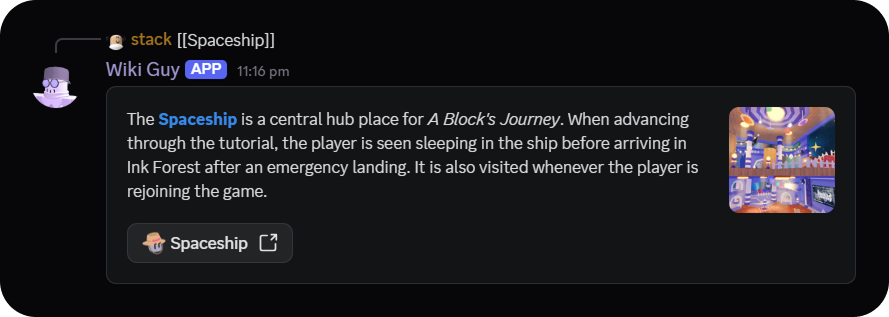
Messages can also use interwiki links configured by the channel’s wiki, such as [[wikipedia:Chicken]] or [[commons:Main page]]. The bot reads the source wiki’s MediaWiki interwiki map, verifies that the destination page exists through its API, and then creates the usual extract embed with a link to the destination wiki. Prefixes configured in config.js take precedence over interwiki prefixes.
When adding a wiki, add its configuration to WIKIS and update WIKI_MAP or the relevant status messages as needed. Discord channel, category, and emoji IDs can be copied using Discord’s Developer Mode. Emoji values are optional; unset values are omitted from buttons and contribution score lists.
bot/server.js starts a small web server so Instatus can check whether the bot is active. It listens on 0.0.0.0 and uses the PORT value from .env (or port 3000 when it is unset). Set WEB_SERVER to false to skip starting it; in that case, PORT is not required.