
People ask you for the Wi-Fi password. Answer quickly. macOS only. Windows version.
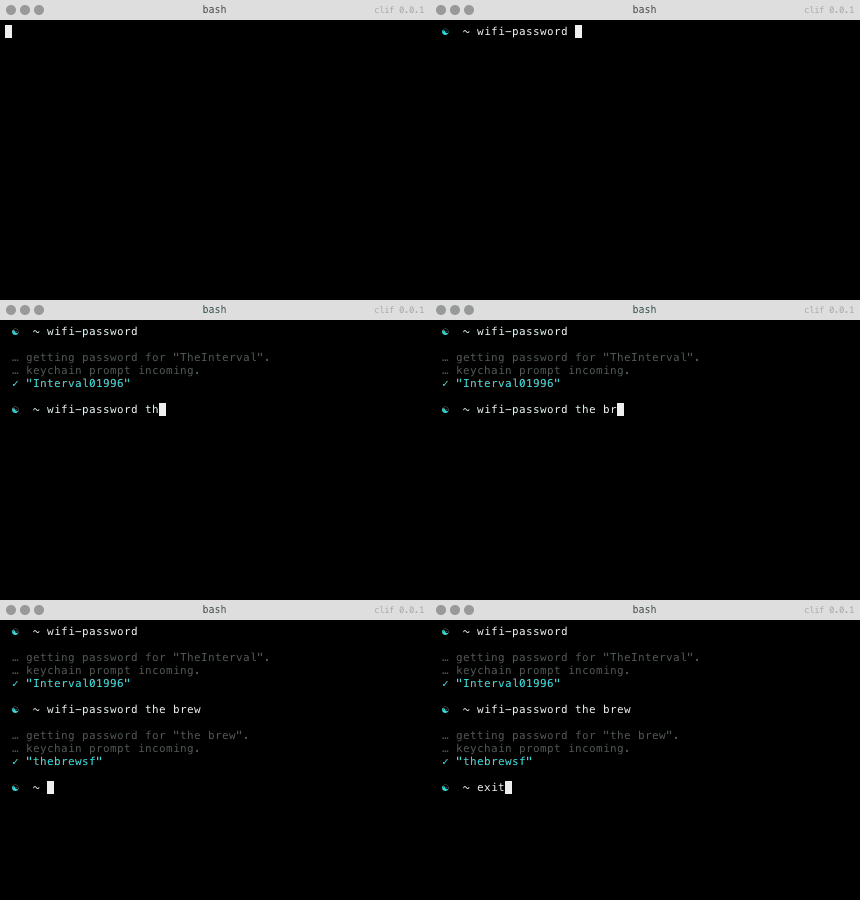
1. Install it
With bpkg:
$ bpkg install rauchg/wifi-password
With Homebrew:
$ brew install wifi-password
With Antigen:
Add antigen bundle rauchg/wifi-password to your .zshrc with your other antigen commands
With Zgen
Add zgen load rauchg/wifi-password to your .zshrc with your other zgen commands
or with curl:
curl -L https://raw.github.com/rauchg/wifi-password/master/wifi-password.sh -o ~/bin/wifi-password && chmod +x ~/bin/wifi-password
If you don't have ~/bin in your $PATH, replace it with /usr/local/bin or
similar.
2. Use it:
To get the password for the WiFi you're currently logged onto:
$ wifi-password
To get it for a specific SSID:
$ wifi-password <ssid>
To put it straight in your clipboard for pasting elsewhere (OS X only):
$ wifi-password | pbcopy
MIT