cbxy is a sidecar format for comic panel geometry.
A .cbxy file is a ZIP archive of JSON files (same idea as CBZ, but metadata instead of images).
book.cbz                         book.cbxy
├── page-001.jpg                 ├── page-001.json
├── page-002.jpg                 ├── page-002.json
└── Art/page-003.png             └── Art/page-003.json
Coordinates are normalized fractions of the page (0–1), so they survive resize. Array order is reading order.
{
  "page": "page-001.jpg",
  "width": 1680,
  "height": 2583,
  "panels": [
    { "x": 0.035, "y": 0.058, "w": 0.388, "h": 0.286 },
    { "x": 0.437, "y": 0.058, "w": 0.526, "h": 0.287 }
  ]
}
For a full specification, see the latest version of the spec.
This repository is a Python reference implementation of the cbxy format and tools. It is meant to be a showcase for the format and tools.
Install using pip:
pip install cbxyor uv:
uv tool install cbxyOnce installed, three command-line tools are available:
cbxy-detect: Detects panels in a comic and writes a.cbxysidecar beside it.cbxy-reader: Opens a comic in the browser with optional guided panel view.cbxy-editor: Visual editor for creating or fixing panel boxes.
Detects panels in a comic archive and writes a .cbxy sidecar next to it (OpenCV by default, with ML fallback for irregular layouts).
cbxy-detect path/to/book.cbz| Argument | Description |
|---|---|
comic |
Path to a .cbz, .cbr, image folder, or single page image |
-o, --out |
Output .cbxy path (default: same stem beside the comic) |
--engine auto|cv|ml |
Detection backend (default: auto) |
--min-area |
Minimum panel area as a fraction of the page (default: 0.03) |
--gutter |
Near-white gutter threshold for CV, 0–255 (default: 230) |
--conf |
ML confidence threshold (default: 0.25) |
--limit |
Only process the first N pages |
--preview-dir |
Write annotated preview JPEGs into this folder |
Engines
--engine chooses how panels are found. Most of the time auto is enough; pick cv or ml when you know the page style.
| Engine | When to use |
|---|---|
auto (default) |
Best general choice: tries OpenCV first, falls back to ML when a page looks irregular (e.g. one huge “panel”) |
cv |
Traditional grid layouts with clear white gutters (fast, no model download) |
ml |
Messy / borderless / overlapping layouts (Image-style pages, splash + insets) |
The ML path uses Ultralytics YOLO with the pretrained comic-panel weights mosesb/best-comic-panel-detection (downloaded on first ML run).
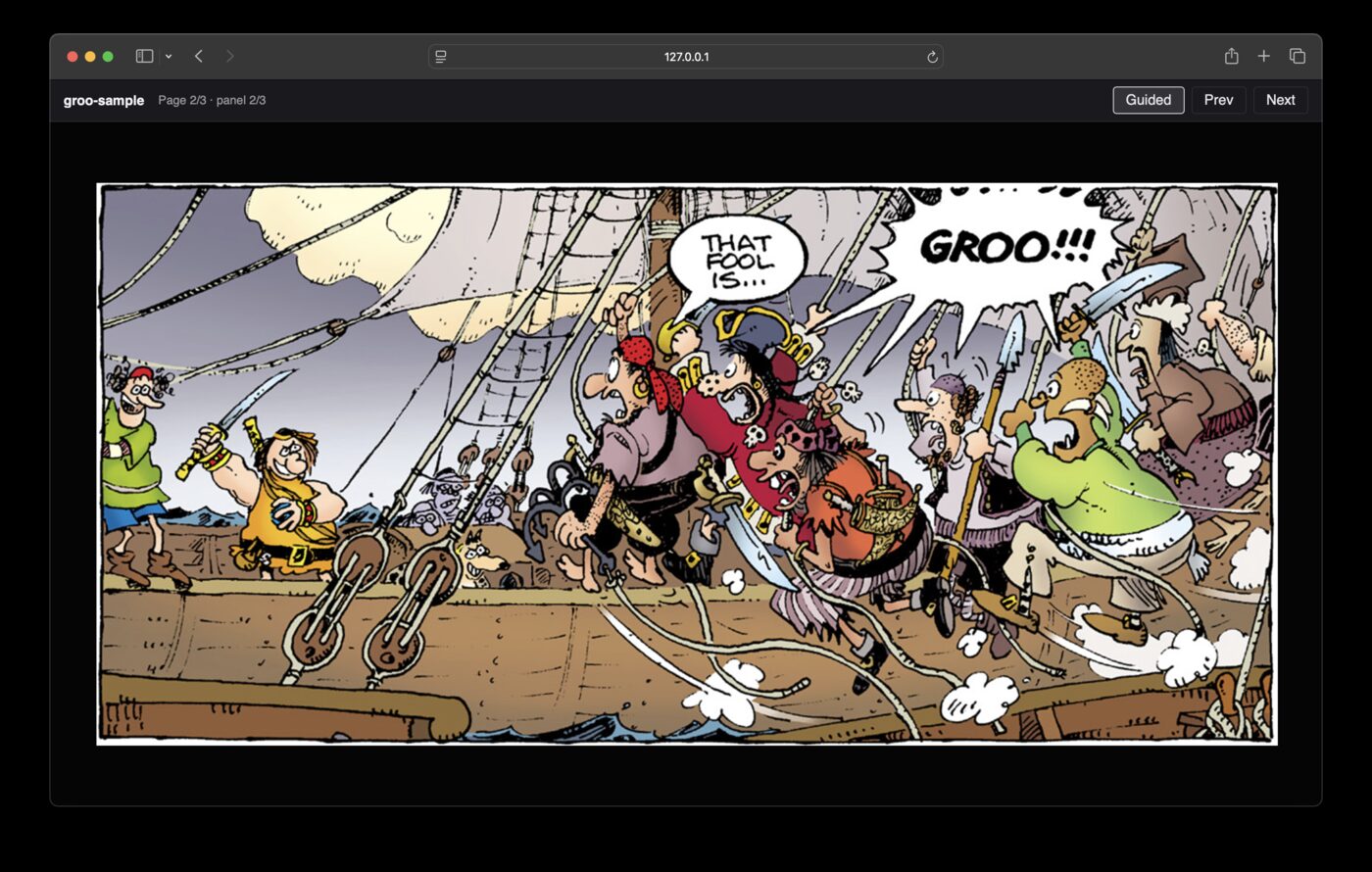
Opens a comic in the browser. If a sibling .cbxy is present, supports guided panel-by-panel view; otherwise pages only.
cbxy-reader path/to/book.cbz| Argument | Description |
|---|---|
comic |
Path to a .cbz, .cbr, image folder, or single page image |
--host |
Bind address (default: 127.0.0.1) |
--port |
Port (default: 8765) |
--no-open |
Do not open a browser window automatically |
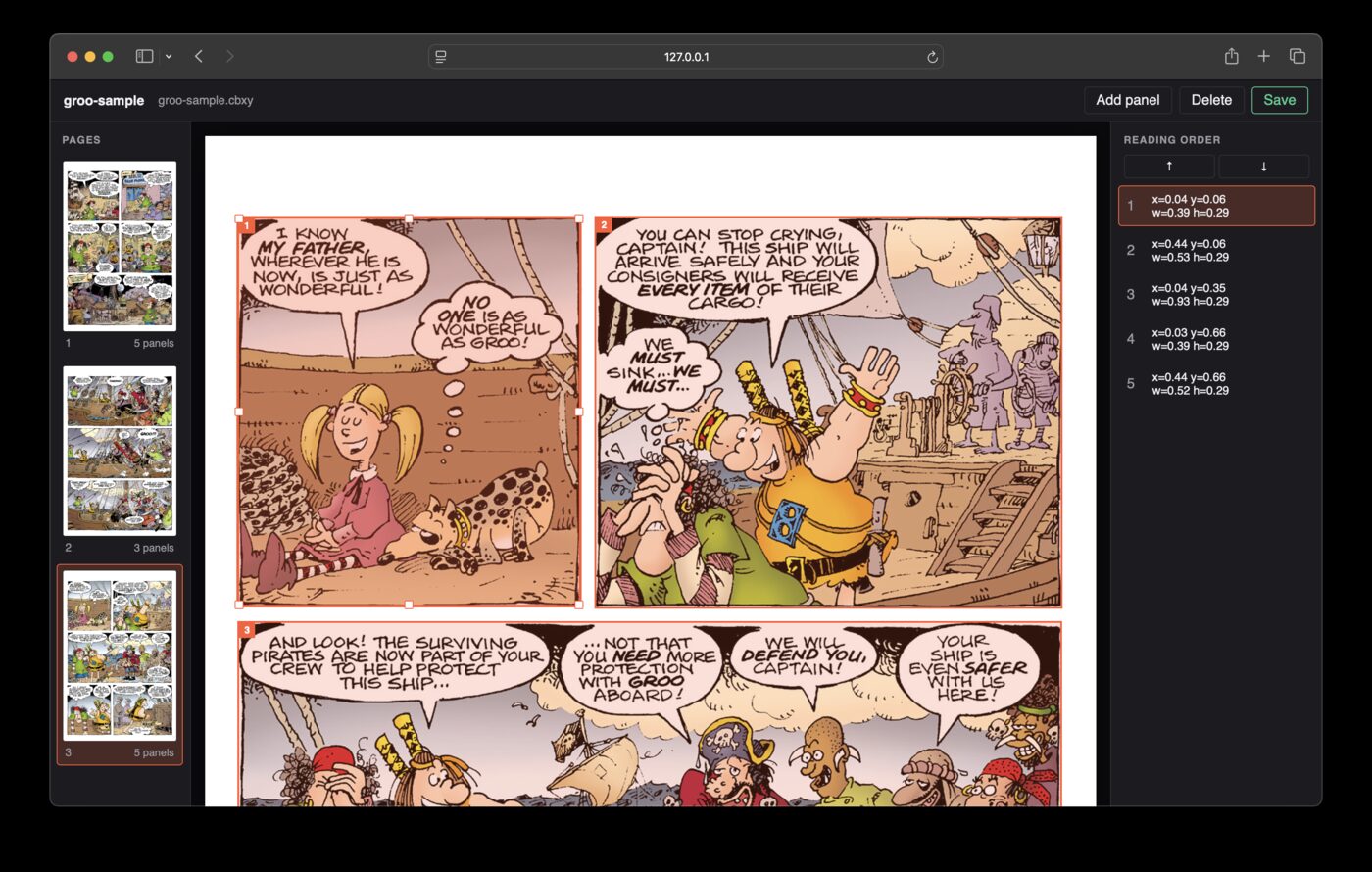
Browser UI to create or edit panel boxes and save a .cbxy beside the comic.
cbxy-editor path/to/book.cbz| Argument | Description |
|---|---|
comic |
Path to a .cbz, .cbr, image folder, or single page image |
--host |
Bind address (default: 127.0.0.1) |
--port |
Port (default: 8766) |
--no-open |
Do not open a browser window automatically |