
Open-source fleet, dispatch, transport management, and real-time logistics operations for Fleetbase.






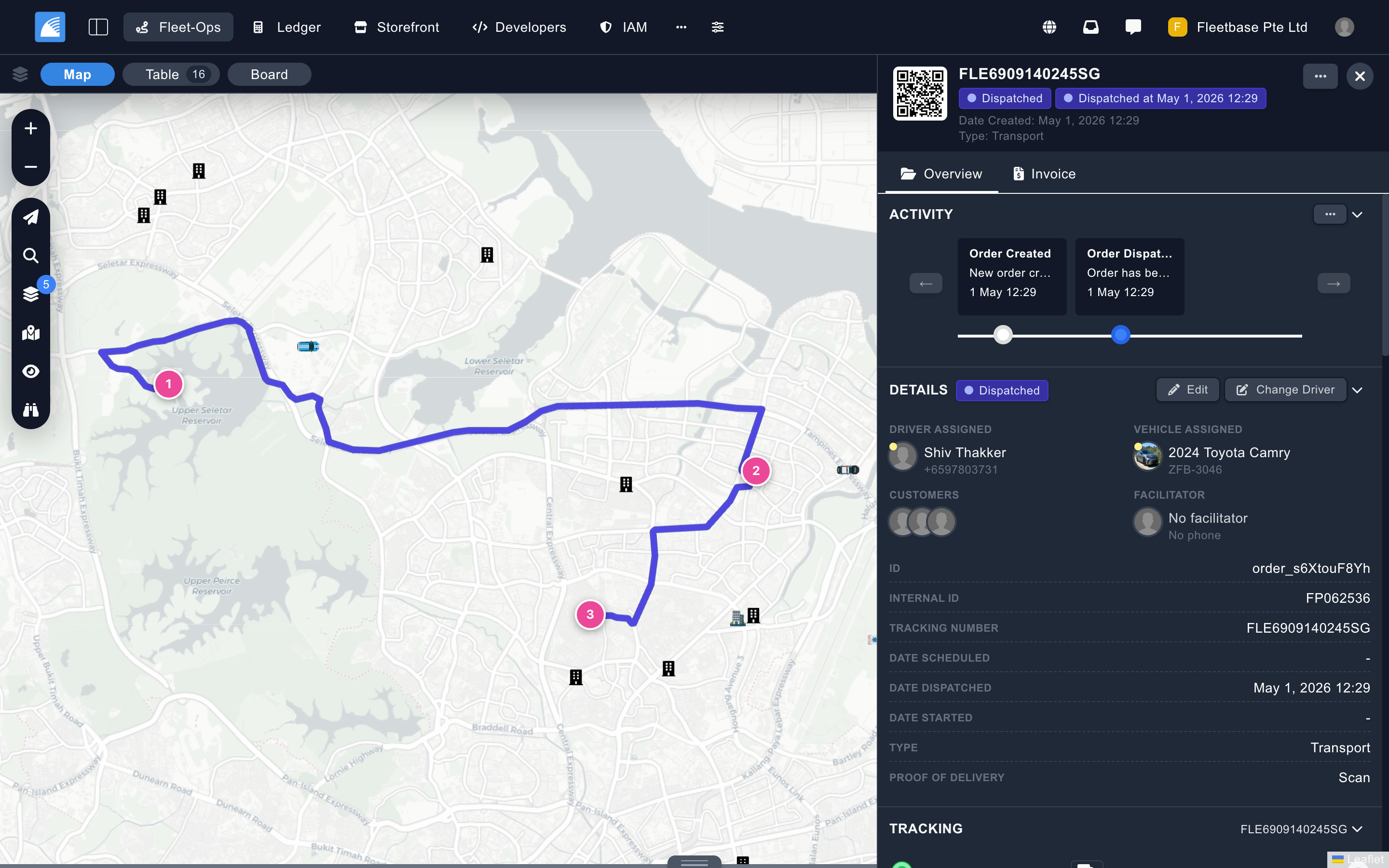
Fleet-Ops is the core logistics and fleet management extension for the Fleetbase platform. It gives operations teams a dispatch console for managing orders, drivers, vehicles, fleets, service areas, live maps, route execution, analytics, maintenance, and connected telematics.
Fleet-Ops ships as two packages:
| Package | Purpose |
|---|---|
@fleetbase/fleetops-engine |
Ember Engine/Add-on that powers the Fleet-Ops console UI. |
fleetbase/fleetops-api |
Laravel/PHP package that provides the Fleet-Ops API, models, jobs, events, and integrations. |
Fleet-Ops is included with Fleetbase Cloud and self-hosted Fleetbase installations. For product concepts, workflows, and setup guides, start with the Fleet-Ops documentation.
- Create, import, schedule, dispatch, start, cancel, and complete delivery orders.
- Manage multi-waypoint routes, payloads, entities, labels, order metadata, notes, comments, files, and proofs.
- Track live order progress with ETAs, route overlays, driver pings, activity timelines, and configurable status flows.
- Configure custom order types, activity flows, entity fields, proof requirements, and service-rate rules.
- Run orchestration workflows for order allocation, driver assignment, vehicle capacity, and route sequencing.
- Plan work with the scheduler, fleet schedule, service quotes, routes, manifests, and manifest stops.
- View live drivers, vehicles, active orders, routes, places, service areas, zones, and geofences.
- Filter and inspect operational layers with Fleet-Ops map controls and drawer panels.
- Support Leaflet-based and Google-based map experiences through Fleetbase map settings.
- Capture positions, replay movement, track vehicles and drivers, and surface geofence events.
- Manage drivers, vehicles, fleets, places, contacts, customers, vendors, and integrated vendors.
- Assign drivers and vehicles to fleets, vendors, and orders.
- Track driver schedules, availability, positions, active shifts, and hours-of-service status.
- Track vehicle status, devices, positions, equipment, schedules, work orders, and maintenance history.
- Manage issues, fuel reports, imports, exports, bulk actions, and custom resource fields.
- Define preventive maintenance schedules and calendar feeds.
- Manage work orders, maintenance records, line items, equipment, parts, and warranties.
- Send work orders, trigger schedule runs, pause and resume schedules, and review maintenance history.
- Connect telematics providers, devices, sensors, events, and tracking data.
- Discover and link telematics devices, test provider credentials, and receive telematics webhooks.
- Use Fleet-Ops tracking providers for calculated, OSRM, and Google Routes-backed route intelligence.
- Use Fleet-Ops KPI widgets for earnings, average order value, distance, active orders, online drivers, and open issues.
- Review analytics for operations pulse, live fleet, revenue trends, order status volume, on-time delivery, top drivers, fuel efficiency, issues, maintenance, and geofence violations.
- Create and view reports from the Fleet-Ops analytics workspace.
- Configure Navigator app onboarding, routing, tracking, map providers, notifications, scheduling, payments, orchestrator settings, custom fields, and avatars.
- Expose Fleet-Ops order tracking on the Fleetbase login surface.
- Integrate Fleet-Ops entities into other Fleetbase extensions through registered components and virtual detail tabs.
Fleet-Ops follows the Fleetbase extension architecture: an Ember Engine for the console interface and a Laravel package for API and backend capabilities.
fleetops/
+-- addon/              # Ember Engine source: routes, controllers, components, services, templates
+-- app/                # Ember app re-exports and integration points
+-- assets/             # Frontend assets bundled with the engine
+-- translations/       # Fleet-Ops locale files
+-- server/
|   +-- config/         # Fleet-Ops API configuration
|   +-- migrations/     # Database migrations
|   +-- resources/      # Backend views and resources
|   +-- seeders/        # Seed data
|   +-- src/            # Controllers, models, jobs, events, support services, providers
|   +-- tests/          # Backend test suite
+-- tests/              # Ember test suite
+-- package.json        # Frontend package metadata and scripts
+-- composer.json       # Backend package metadata and scripts
Core frontend dependencies include Ember Octane, Ember Engines, Fleetbase Ember Core, Fleetbase UI, Fleet-Ops Data, Leaflet, Leaflet Draw, Turf, JointJS, and Stripe Connect. Core backend capabilities are provided by Laravel, Fleetbase Core API, Fleet-Ops models/controllers, orchestration engines, tracking providers, analytics, notifications, jobs, and telematics integrations.
Fleet-Ops comes pre-installed with Fleetbase Cloud and standard self-hosted Fleetbase installations. If you are setting up the Fleetbase platform itself, use the Fleetbase documentation:
When developing Fleet-Ops from source, install both frontend and backend dependencies:
pnpm install
composer installWhen working from the Fleetbase monorepo, use the Fleetbase package linker to connect this local package to the running Console and API applications. From the Fleetbase repository root:
flb-package-linker enable fleetops
flb-package-linker install fleetops
This links the local Fleet-Ops Ember engine and Laravel package so Console and API use your source checkout instead of the published packages. See the Fleetbase development setup guide for the full package-linking workflow, Docker setup, Octane reload notes, and frontend hot-reload options.
Fleet-Ops also depends on the shared @fleetbase/fleetops-data package. That package contains Fleet-Ops Ember Data models, adapters, and serializers, and can be reused by other Fleetbase modules that need to read or write Fleet-Ops resources without duplicating data-layer definitions.
If you are changing shared Fleet-Ops data models or consuming them from another extension, link fleetops-data through the root Console workspace:
flb-package-linker enable-shared fleetops-data
flb-package-linker install
For broader Fleet-Ops frontend work, you may also link the common shared Ember packages used by Fleetbase:
flb-package-linker enable fleetops --shared ember-core ember-ui fleetops-data
flb-package-linker install fleetopsStart the Ember Engine in development mode:
pnpm startBuild the production frontend bundle:
pnpm buildRun frontend linting:
pnpm lintRun backend linting:
composer test:lintRun the Ember/QUnit test suite:
pnpm test:emberRun the full frontend check suite:
pnpm testRun the backend test suite:
composer testRun backend checks individually:
composer test:lint
composer test:types
composer test:unitContributions are welcome. Please read CONTRIBUTING.md before opening a pull request.
Useful project files:
- package.json for frontend scripts and package metadata.
- composer.json for backend scripts and package metadata.
- extension.json for Fleetbase extension metadata.
Fleet-Ops is open-source software licensed under the GNU Affero General Public License v3.0 or later.