

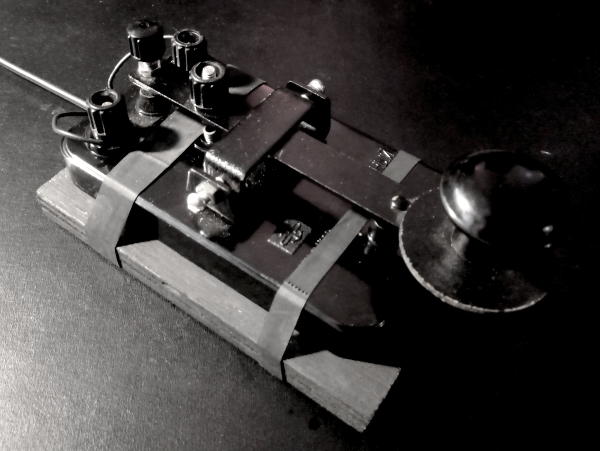
This one button keyboard can output all of the standard letters, numbers, and symbols on a US Layout keyboard.
A physical button is connected between ground and GP10 for input. The built in LED is used to show when the button is being pressed. GP15 Can be connected to a buzzer if audio output is desired. To toggle the sound on and off the SHIFT command is entered twice with the keying device.
Autospacing after a delay between entering characters can be toggled by entering the SHIFT code and then the SPACE code. Similarly capslock mode is initied by the SHIFT code followed by the ENTER code. Pressing alt+number is emulated by pressing SHIFT code and then the number you want to alt press to. Pressing SHIFT and then BACKSPACE presses backspace 5 times.
To get the code running circuit python needs to be flashed to the pico. The UF2 firmware I used is included but it is possible that newer releases may continue to work. The uf2 file is placed in the root directory of a mounted pico and then it automatically reboots once it is ready.
The Adafruit hid library folder then needs to be copied over to the pico, along with code.py which contains the morse code logic.
Speed settings for the recognized dit length, delay between character recognition, buzzer frequency, and buzzer volume can be modified as needed. These values are all defined near the top of the code.
A pdf of all the recognized characters is included to assist with memorization. I like to also place this onto the pico's storage as there is plenty of room for it. The main characters all follow standard international morse code conventions, but there are many extra ones and the patterns for these have been copied from Google's wonderful Gboard android app.
Using these additional standard definitions from Gboard all the rest of the standard symbols on a US Layout keyboard can be entered, as well as the Enter, Space, Backspace, and Shift key.
When inputting a Shift key there is no visible output at first, but the Shift key will be applied to the next character typed. This is the standard practice that is also used in Gboard. In this way all of the standard letters can be capitalized.
-- Edit May 20 2023
I added a Dvorak keybindings file so that I don't have to switch my layout back to US bindings to utilize this morse keyboard. To use the Dvorak bindings place the keyboard_layout_dvorak.py file into the lib/adafruit_hid library and rename it to keyboard_layout_us.py