- latest build of V-Ray Application SDK. (last confirmed test: 1.07.00-vray33501-20160308)
- Fabric Engine 2.1.x
- Python 2.7.x
- SCons build system.
A number of environment variables need to be set prior to building the project. For convenience, setup.bat and setup.sh are included. You will most definitely need to edit these to point to the correct locations and versions of the software packages.
Linux:
cd <vray-for-fabric dir>
source setup.sh
Windows:
cd <vray-for-fabric dir>
call setup.bat
V-Ray Application SDK requires the following environment variables to be set.
Example (Linux/bash):
export VRAY_PATH=/opt/chaosgroup/vrayappsdk/20160308/bin
export VRAY_SDK=/opt/chaosgroup/vrayappsdk/20160308
export PATH=${PATH}:/opt/chaosgroup/vrayappsdk/20160308/bin
export LD_LIBRARY_PATH=${LD_LIBRARY_PATH}:/opt/chaosgroup/vrayappsdk/20160308/bin
export PYTHONPATH=${PYTHONPATH}:/opt/chaosgroup/vrayappsdk/20160308/python27/bin
Fabric Engine requires the following environment variables to be set.
Example (Linux/bash):
export FABRIC_DIR=/opt/fabricsoftware/fabric-engine/FabricEngine-2.1.0-Linux-x86_64
export FABRIC_EDK_DIR=/opt/fabricsoftware/fabric-engine/FabricEngine-2.1.0-Linux-x86_64
export FABRIC_EXTS_PATH=/opt/fabricsoftware/fabric-engine/FabricEngine-2.1.0-Linux-x86_64/Exts
export FABRIC_DFG_PATH=/opt/fabricsoftware/fabric-engine/FabricEngine-2.1.0-Linux-x86_64/Presets/DFG
export PATH=${PATH}:/opt/fabricsoftware/fabric-engine/FabricEngine-2.1.0-Linux-x86_64/bin
export PYTHONPATH=${PYTHONPATH}:/opt/fabricsoftware/fabric-engine/FabricEngine-2.1.0-Linux-x86_64/Python/2.7
To build vray-for-fabric, simply run scons from the top-level project directory. This will generate the necessary headers, compile source, generate canvas dfg presets, and copy all relevant files to an extension directory ./stage. All intermediate files are created in the ./build directory. These directories will be (re)created each time scons is run.
cd <vray-for-fabric dir>
scons
To clean, run scons -c. This will remove everything in the ./build and ./stage directories, but not the directories themselves.
scons -c
To get detailed output, pass VERBOSE=1 on the commandline.
scons VERBOSE=1
In order to test vray-for-fabric, 'cd' to the 'test' dir.
cd ./test
This test will load the test.vrscene file and generate a render.png file and re-export the vrscene as dump.vrscene.
kl test.kl
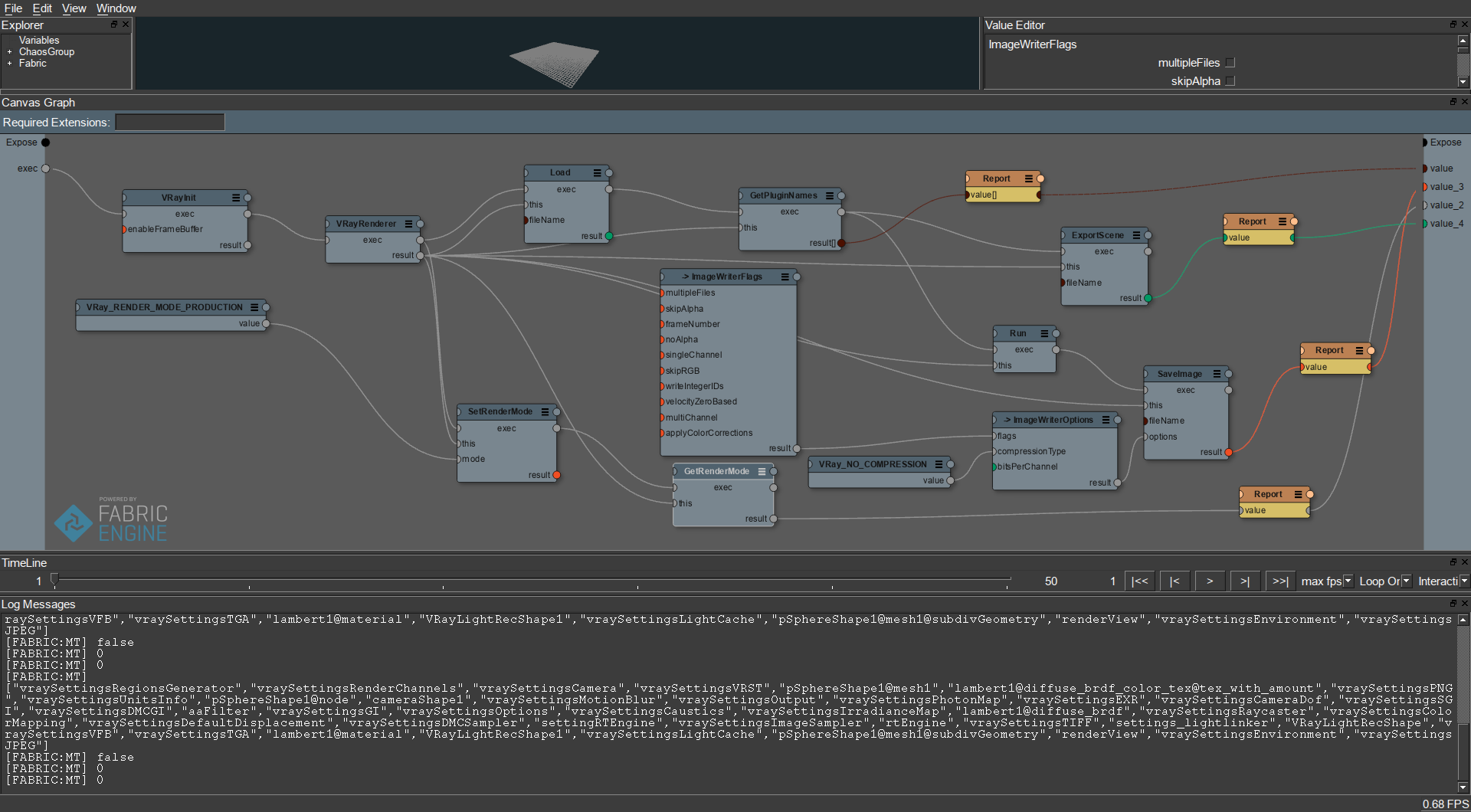
Launch canvas with the test.canvas file as an argument.
canvas test.canvas
Once you're in Canvas, connect the result plug of the 'SaveImage' node to the 'expose' input on the right-side of the canvas to initiate graph execution. You should get an output png called output_from_canvas.png in the test directory.