Statecharts Rhapsody
Features:
- output as:
- REPL
- Shell friendly
- Colored output
- Pipe-able (e.g:
cat f.scdl | scrap evalorscrap code f.scdl | cat) which disable the colored output. Useful when piping to file or running on CI.
Scrap will automatically use this CLI below if it's available on the system host. In Games term, think of it as an extension pack where some features will be enabled if you install it 😉
smcat
Install
npm -g state-machine-catUnlocked features:
smcatbecome the default output when--format smcatis specified- flag
--ascan accept 🗹 when--format smcatis specified-
svg-> Scalable Vector Graphics -
dot-> Alias for Graphviz format/language -
smcat-> state-machine-cat language (default) -
json-> AST representation of state-machine-cat in JSON (ex-default) -
ast-> AST representation of state-machine-cat -
html-> HTML -
scxml-> State Chart XML (W3C standard) -
scjson-> experimental JSON representation of state-machine-cat -
xmi-> XML Metadata Interchange (OMG standard)
-
graph-easy
⚠️ smcat need to be installed first
Install
cpanm graph-easyUnlocked features:
- flag
--ascan accept 🗹 when--format graphis specified-
ascii-> ASCII art rendering -
boxart-> Unicode Boxart rendering (default) -
html-> HTML -
svg-> Scalable Vector Graphics -
dot-> the DOT language -
txt-> Graph::Easy text -
vcg-> VCG (Visualizing Compiler Graphs - a subset of GDL) text -
gdl-> GDL (Graph Description Language) text -
graphml-> GraphML -
bmp-> Windows bitmap -
gif-> GIF -
hpgl-> HP-GL/2 vector graphic -
jpg-> JPEG -
pcl-> PCL printer language -
pdf-> PDF -
png-> PNG -
ps-> Postscript -
ps2-> Postscript with PDF notations (see graphviz documentation) -
tga-> Targa bitmap -
tif-> TIFF bitmap
-
dot
⚠️ smcat need to be installed first
Unlocked features:
- flag
--ascan accept 🗹 when--format graphis specified- bmp -> Windows Bitmap Format (blob)
- canon/dot/gv/xdot -> DOT/Graphviz language
- cgimage -> CGImage bitmap format
- eps -> Encapsulated PostScript
- exr -> OpenEXR
- fig -> FIG graphics language
- gd/gd2 -> GD/GD2 formats (blob)
- gif -> Graphics Interchange Format (blob)
- gtk -> GTK canvas
- ico -> Icon Image File Format
- imap/cmapx -> Server-side and client-side imagemaps
- imap_np/cmapx_np -> These are identical to the imap and cmapx formats, except they rely solely on rectangles as active areas
- jp2 -> JPEG 2000
- jpg/jpeg/jpe -> JPEG (blob)
- json/json0/dot_json/xdot_json -> Dot graph represented in JSON format
- pct/pict -> PICT
- pdf -> Portable Document Format (PDF). This option does not support anchors, etc. Refer to
ps2instead - pic -> Kernighan's PIC graphics language
- plain/plain-ext -> Simplified version of
dotlanguage. - png -> Portable Network Graphics format (blob)
- ps -> PostScript
- ps2 -> PostScript for PDF
- psd -> Photoshop Document
- sgi -> Silicon Graphics Image
- svg/svgz -> Scalable Vector Graphics (blob:svgz)
- tga -> Truevision TGA
- tif/tiff -> TIFF (Tag Image File Format) (blob)
- tk -> TK graphics language
- vml/vmlz -> Vector Markup Language (VML) (blob:vmlz)
- vrml -> Virtual Reality Modeling Language
- wbmp -> Wireless BitMap format (blob)
- webp -> Image format for the Web (blob)
- xlib/x11 -> Xlib canvas
$ scrap help

Statecharts Rhapsody

USAGE:
    scrap <SUBCOMMAND>

FLAGS:
    -h, --help       Prints help information
    -V, --version    Prints version information

SUBCOMMANDS:
    code    Generate from scdlang file declaration to another format [aliases: generate, gen, declaration, declr]
    eval    Evaluate scdlang expression in interactive manner [aliases: repl]
    help    Prints this message or the help of the given subcommand(s)
scrap help code
$ scrap code --help

Generate from scdlang file declaration to another format

USAGE:
    scrap code [FLAGS] [OPTIONS] <FILE> --format <target> [DIST]

FLAGS:
    -h, --help      Prints help information
        --stream    Parse the file line by line

OPTIONS:
        --as <format>        Select parser output [possible values: json, svg, dot, smcat, html, scxml, xmi, ascii, boxart, bmp, gif, jpg, pdf, png, ps, ps2, tif]
    -f, --format <target>    Select output format [possible values: xstate, smcat, graph]

ARGS:
    <FILE>    File to print / concatenate
    <DIST>    Output the result to this directory / file
scrap help repl
$ scrap repl --help

Evaluate scdlang expression in interactive manner

USAGE:
    scrap eval [FLAGS] [OPTIONS] --format <target>

FLAGS:
    -h, --help           Prints help information
    -i, --interactive    Prints result on each expression
        --strict         Exit immediately if an error occurred

OPTIONS:
        --as <format>        Select parser output [possible values: json, svg, dot, smcat, html, scxml, xmi, ascii, boxart, bmp, gif, jpg, pdf, png, ps, ps2, tif]
-f, --format <target> Select output format [possible values: xstate, smcat, graph]Some CLI and tools that can came handy:
watchexec-> Executes commands in response to file modifications.live-server-> A simple development http server with live reload capability. Useful to quickly preview thesvgoutputJusfileorMakefile-> Task runner to automatically perform frequent tasks
Live preview the visual representation in terminal window
watchexec "scrap code $FILE.scl -f graph" --clear --watch $FILE.scl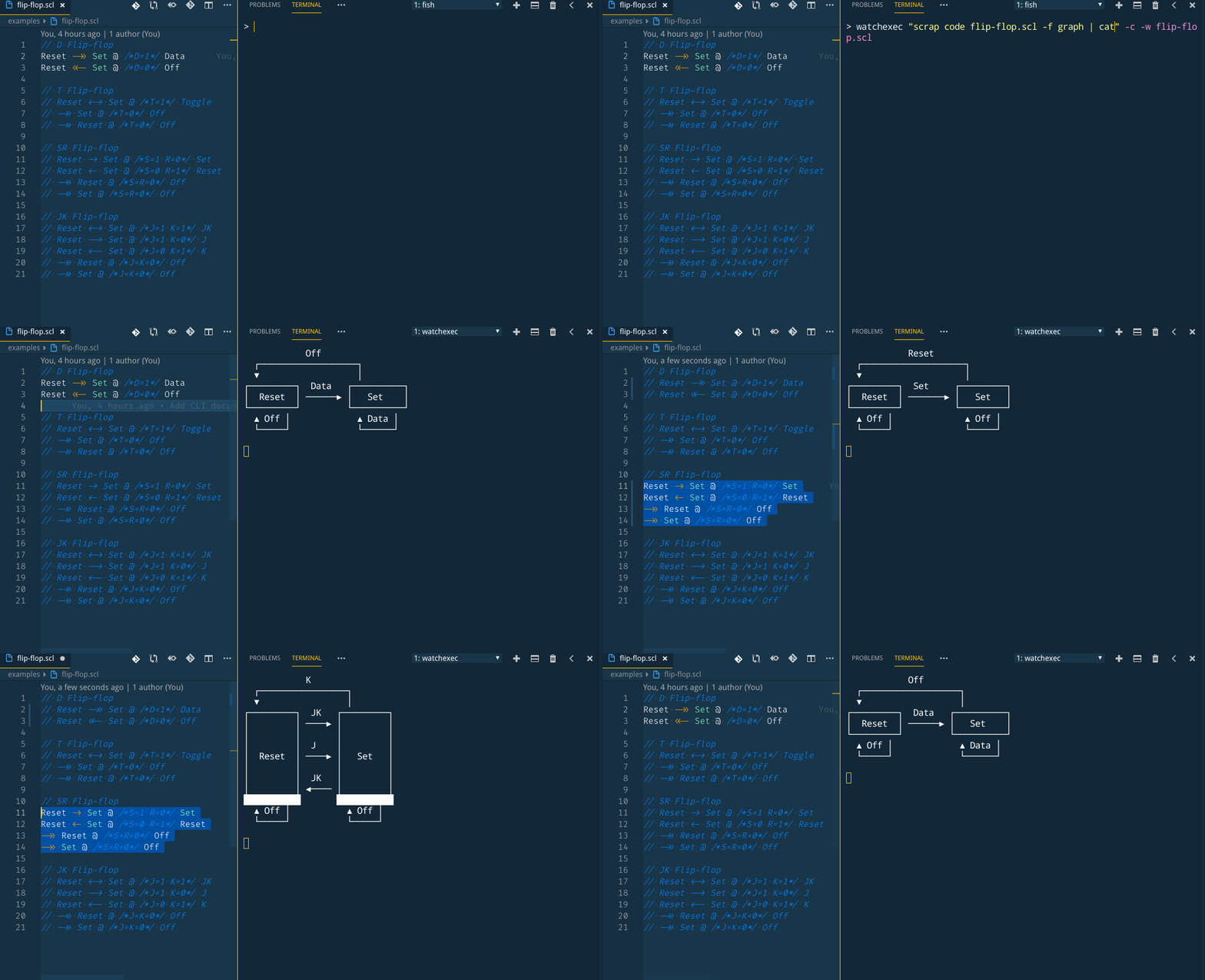
Live preview the visual representation of media output (svg, jpg, png, etc)
- For SVG
watchexec "scrap code $INPUT.scl -o $OUTPUT.svg -f smcat --as svg" --clear --watch $INPUT.scl
live-server --watch=$INPUT.scl --entry-file=$OUTPUT.svg --port=2019 --wait=2020
google-chrome --app=http://localhost:2019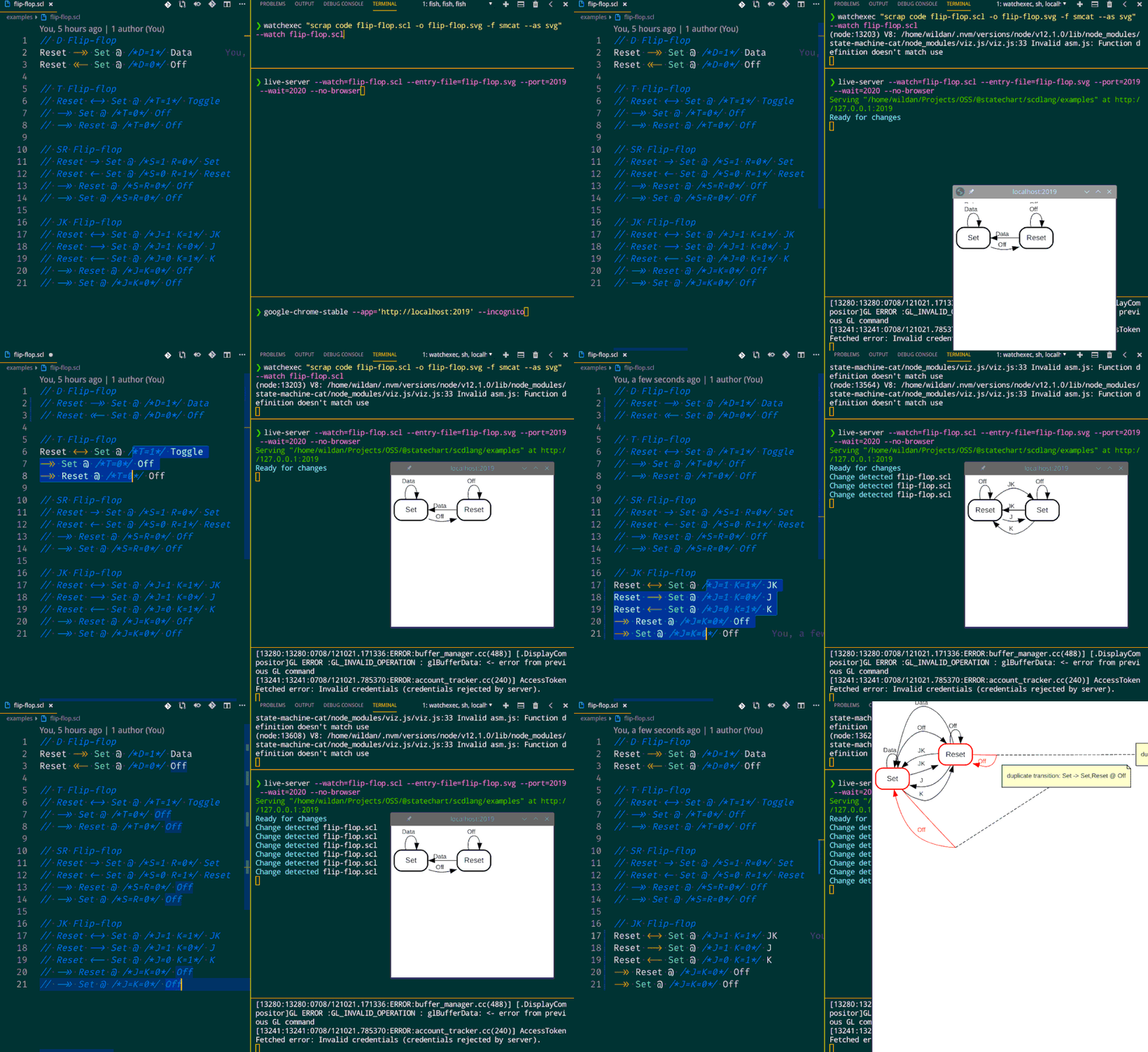
- For VSCode user, you can
--outputit--asmedia file like png or jpg then open it in VSCode
watchexec "scrap code $INPUT.scl -o $OUTPUT.png -f graph --as png" --watch $INPUT.scl
code $OUTPUT.png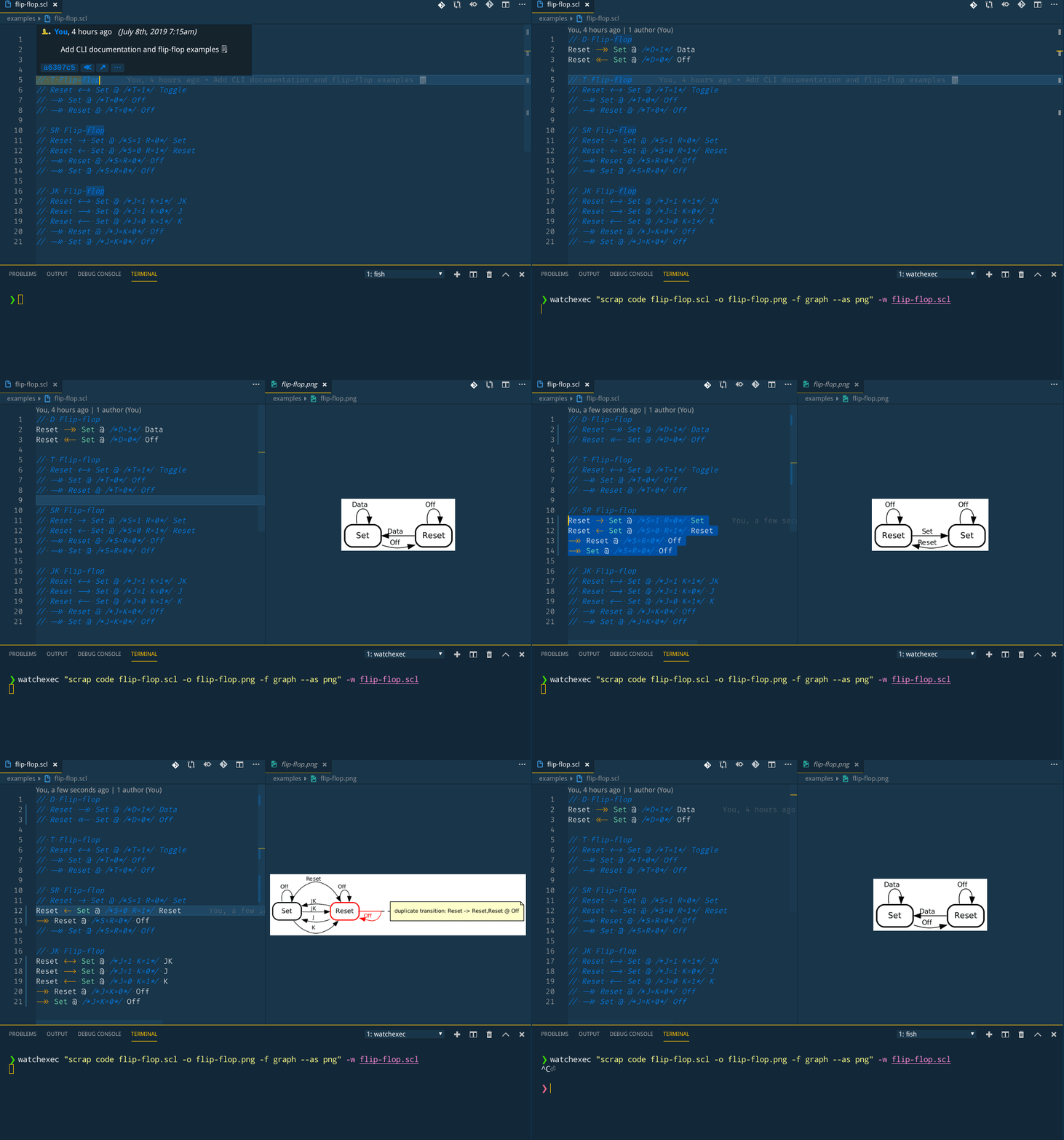
Inspect each line
cat $FILE.scl | scrap repl --interactive --format graph
Only inspect result
cat $FILE.scl | scrap repl --interactive --format xstate 2>/dev/null
Only inspect error
cat $FILE.scl | scrap repl --interactive --format xstate 1>/dev/null
Log error to file
scrap code $FILE.scl --stream 2> $OUTPUT.log
Print in plain format (no syntax highlighter)
scrap code $FILE.scl --format xstate --stream 2>&1 | cat
Only print result
scrap code $FILE.scl --format xstate --stream 2>/dev/null | cat
Only print error
scrap code $FILE.scl --format xstate --stream 2>&1 1>/dev/null | cat
Inspect and log each line to file
Inspect and log error
cat $FILE.scl | scrap repl --interactive --format xstate 2> $OUTPUT.log
Inspect and log result
cat $FILE.scl | scrap repl --interactive --format xstate > $OUTPUT.log